STORAGE
KV namespaces
Browse and inspect Cloudflare KV storage across your whole account.
Browse KV namespaces, edit D1 tables, run SQL, and watch your usage — all from one clean, native macOS app. No dashboard hopping, no hand-written API calls.
An independent Mac app, not affiliated with Cloudflare, Inc.
All of your Cloudflare KV namespaces, lined up in the sidebar. Open one to inspect its keys and values inline — no Wrangler commands, no raw API requests.
Open any D1 database, walk its tables, and scroll the rows in a fast, sortable grid. Select a row to inspect and edit every field in a clean side editor.
Drop into a SQL console against any D1 database when the grid isn't enough. Run a statement and read the results right below the editor.
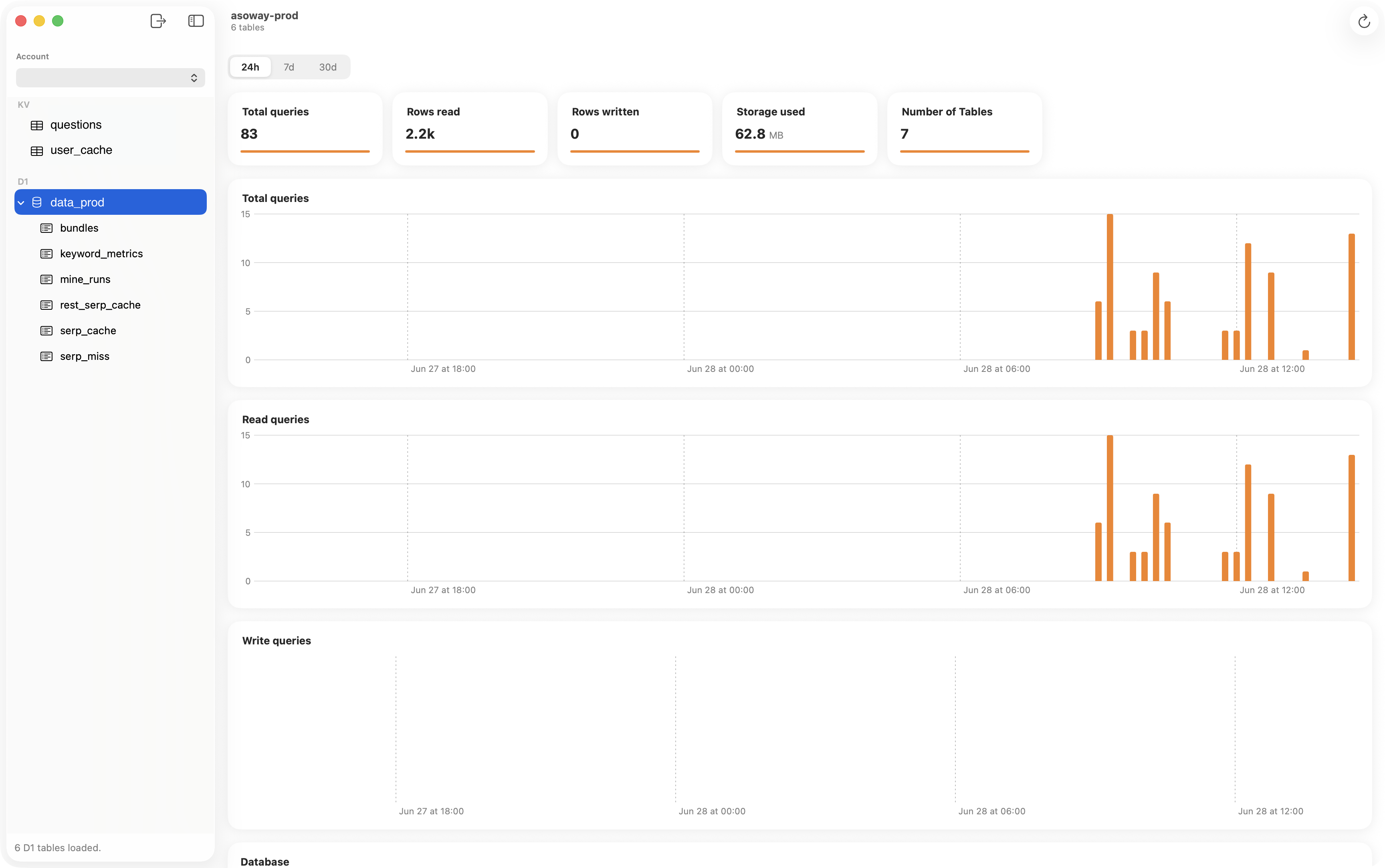
A focused dashboard for every D1 database: total queries, rows read and written, storage used, and table count — over the last 24 hours, 7 days, or 30 days.
Built for indie developers and backend engineers who live in Cloudflare Workers, KV, and D1 — and want a faster way to inspect and manage their data from the desktop.
Browse and inspect Cloudflare KV storage across your whole account.
View tables, browse rows, run SQL, and edit fields in a clean editor.
Queries, reads, writes, storage, and table count at a glance.
SwiftUI, no Electron. Connect with your Account ID and API token.
CF Studio is local-first and runs no server of its own. You connect with your own Cloudflare token, and your credentials and data stay on your machine.
Your Account ID and API token are stored in the macOS Keychain, protected by your Mac — never on a server of ours.
Every request goes directly to Cloudflare’s official API over HTTPS. No backend, no proxy, nothing in between.
No analytics SDKs, no account, no sign-up. CF Studio doesn’t collect anything about you or your data.
One native Mac app for KV, D1, and analytics — built for developers who want to inspect and manage their data without leaving the Mac.
Requires macOS · Bring your own Cloudflare account and API token.